Fleet management, telematics and operational dashboards

Designing a more intuitive logistics platform by using story-led product discovery, visible agile planning and user testing to turn complex fleet operations into usable workflows.
Problem
Fleet operators work in a live, high-pressure environment.
Vehicles are moving. Devices are reporting. Routes are changing. Drivers need support. Managers need to identify issues quickly and understand what action to take.
The legacy platform contained the data and capability the business needed, but it exposed too much complexity to the user.
The goal for AiiM was to embrace newer web technologies and rebuild the experience around usability, clarity and operational flow.
Users should not need to read long manuals to understand how to complete everyday tasks.
Context
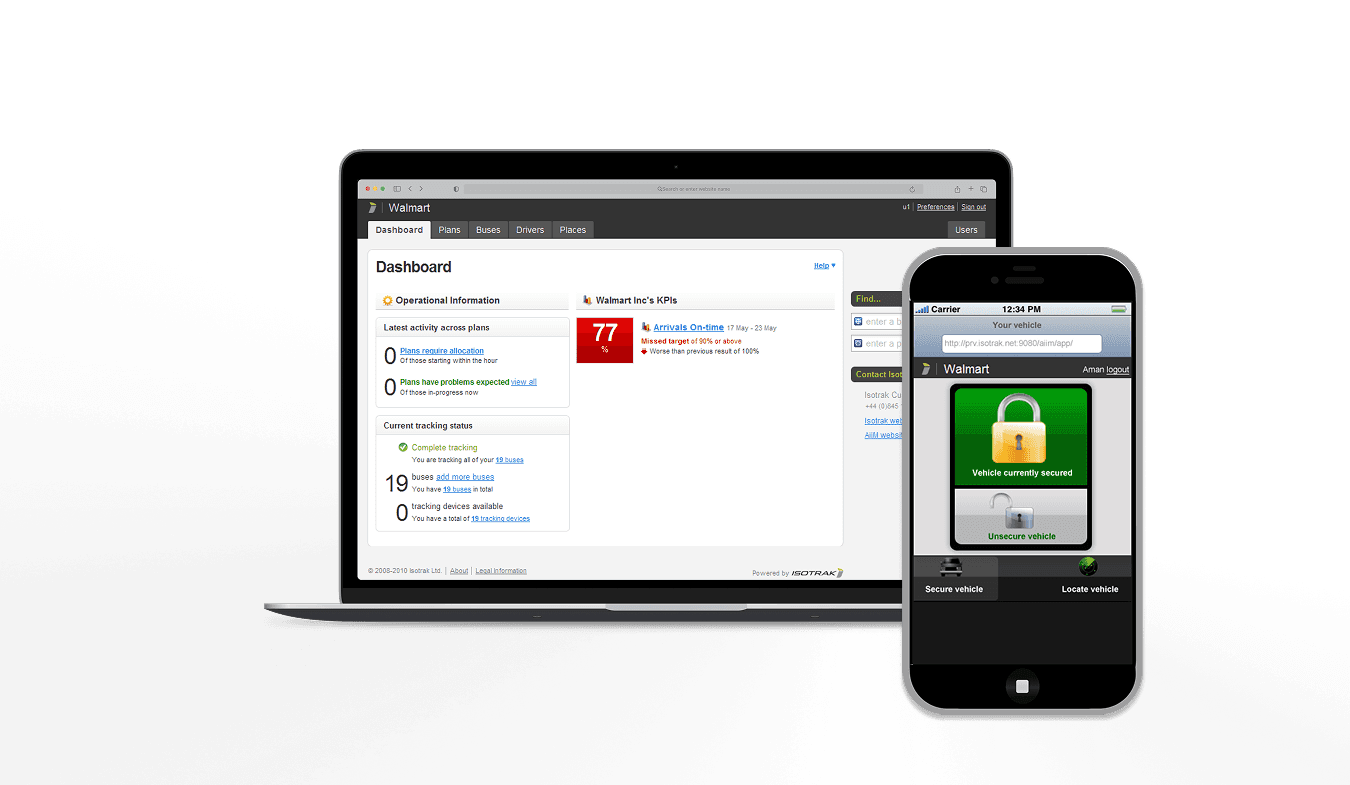
AiiM was a web-based logistics and fleet-management platform for operational teams managing vehicles, drivers, routes, plans, places and delivery performance.
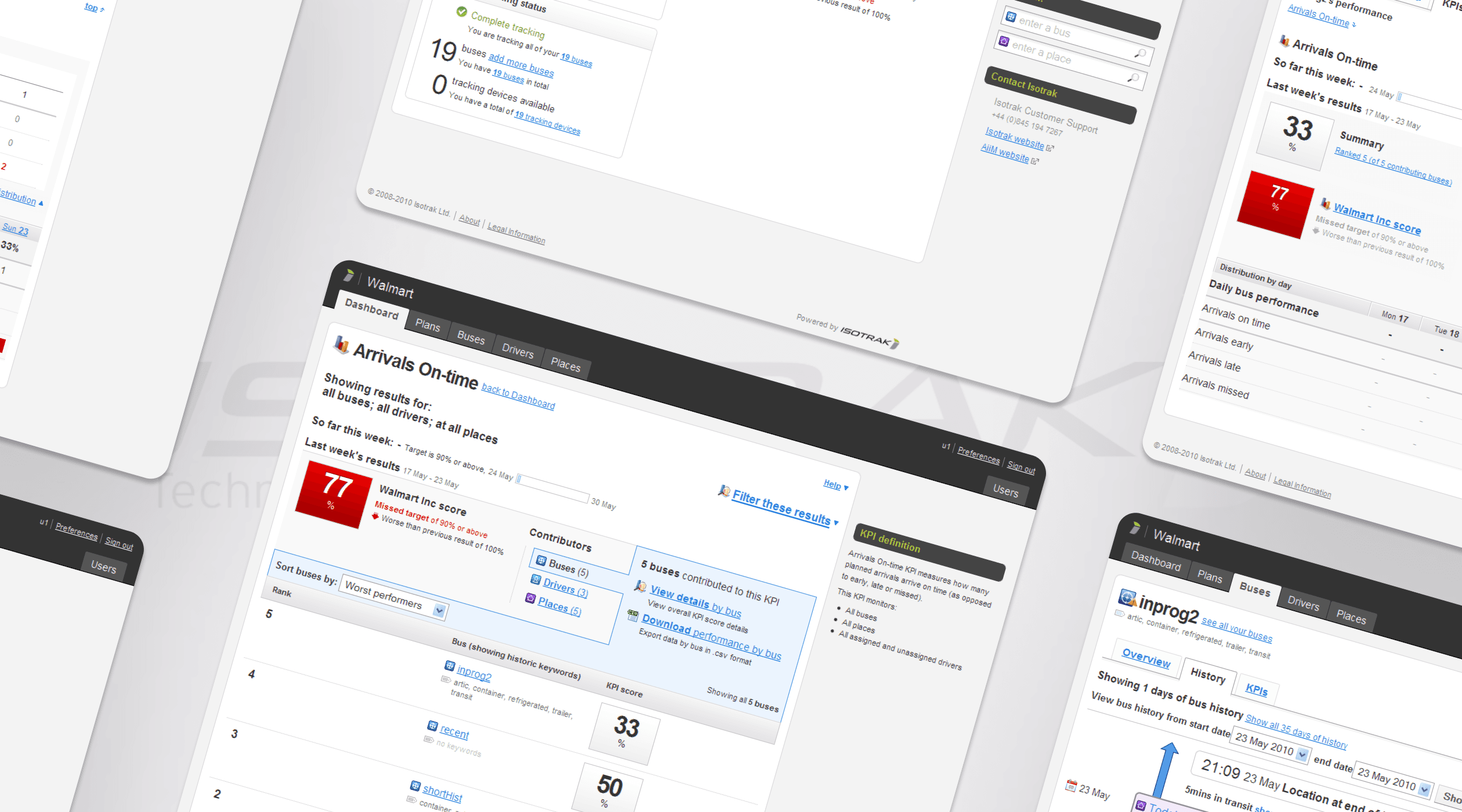
The product connected several areas of work: dashboards, KPI reporting, asset history, map-based investigation, plan editing, place management and driver activity review.
These were not separate features. They formed a connected system of operational work.
A user might begin with a weekly performance issue, identify the worst-performing vehicle or driver, inspect the relevant day, review asset history and then decide what needed to happen next.
The core journey was:
Monitor performance
Identify an issue
Find the contributing driver, vehicle or place
Investigate the evidence
Take action
My role
I worked as a Senior UX Analyst across discovery, definition, design and delivery.
My role included requirements gathering, persona development, ideation sprints, sketching, user journeys, story writing, mapping and prioritisation, interaction design, user testing, information architecture, Confluence documentation and semantic XHTML/CSS templates.
I worked closely with product managers, developers, testers and stakeholders to define viable features and move them through design and delivery.
The role was hands-on and process-led. The value came from connecting user research, agile planning, interface design and implementation detail.
Process
The work was strongly aligned with Jeff Patton’s product thinking.
We did not start with a flat backlog of features. We worked from user types, operational journeys and story backbones.
Personas were based on extensive research and interviews. They were not static artefacts. We updated them as we learned more through user testing and delivery.
Stories were mapped to key user types. Features had a story backbone defined against them, so the team could understand the sequence of work and the user value behind each slice.
This helped keep the product grounded in real operational behaviour.
The team worked visibly. We gathered around magnetic boards every day, using magnetised cards to discuss progress, dependencies and decisions. This made the work tangible and helped the team align quickly.
Design started in ideation sprints. We sketched early, explored options and used the sketches to align stakeholders before committing to more detailed design.
Sketches moved into design only once the key stakeholders were aligned on the intended feature, the user problem, the technical approach and the delivery path.
Everything was documented in Confluence so that decisions, stories, sketches, interaction details and acceptance criteria remained visible to the wider team.
User testing
User testing was built into the delivery process.
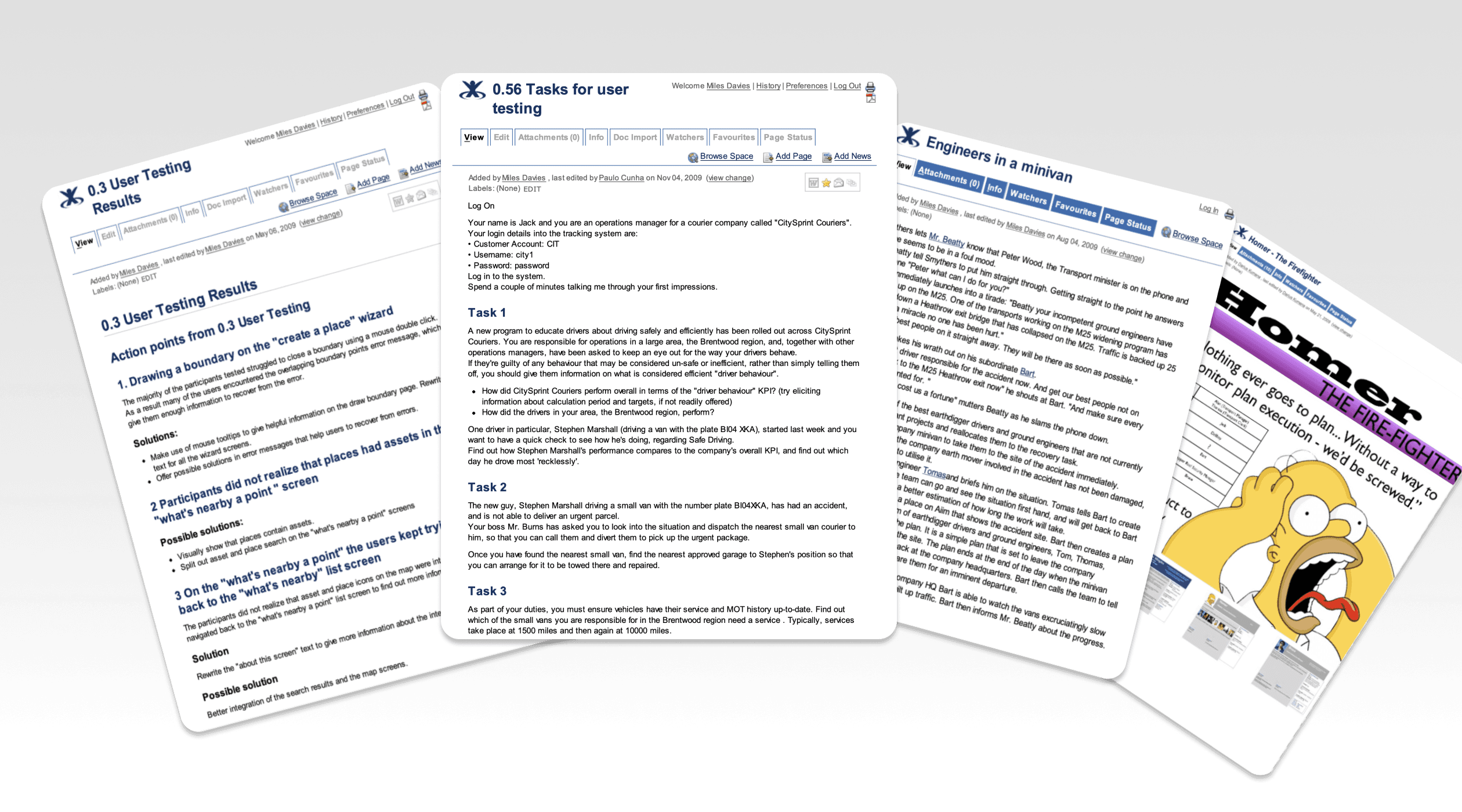
We tested viable features in the final sprints before release, using realistic operational scenarios rather than abstract usability tasks.
This allowed the team to validate whether users could understand the new workflows, complete key tasks and recover from errors without relying on documentation.
Testing also fed back into the personas. When we learned more about operators, managers or other user types, the personas were updated to reflect that learning.
The aim was not just to find interface issues. It was to keep the product aligned with the people using it.
Key design decisions
Design around the work, not the system
The legacy platform reflected operational complexity. AiiM needed to reflect the user’s work.
That meant designing from the operator’s mental model: monitor the fleet, identify an issue, investigate the cause, and act.
The interface needed to hide unnecessary system complexity while preserving the detail needed for confident decision-making.
Use story backbones to define features
Each major feature was shaped around a story backbone.
This helped the team understand the user journey before designing individual screens. It also made it easier to identify viable slices of functionality that could be delivered, tested and improved.
A feature was not complete because a screen existed. It was complete when it helped a user move through the work.
Preserve context across the journey
AiiM needed to preserve the user’s investigation as they moved through the product.
If a user selected a KPI, the next view needed to show the contributing factors. If they selected a vehicle or driver, the relevant time period needed to carry forward into asset history.
This reduced the need for users to manually reconstruct an investigation across disconnected screens.
Connect maps, tables and timelines
Fleet investigation relied on multiple representations of the same event.
The map showed location. The table showed structured data. The timeline showed sequence. The KPI showed performance.
The design challenge was to make those views feel connected rather than separate.
Users needed to understand not only where something happened, but why it mattered.
Design for operational edge cases
AiiM had to reflect the messy reality of fleet operations.
Vehicles could be tracked, untracked or temporarily not reporting. Plans could need editing after import. Arrival and departure events could need correction. Driver activity could need allocating to timecodes. Locations could need creating where GPS coverage was poor.
These details were not secondary. They were where the product either supported real work or got in the way.
I designed validation, messaging and recovery paths around these states, including autosuggest, inline editing, warnings, empty states, undo behaviour and graceful fallbacks.
Outcome
The work helped turn a complex legacy logistics system into a more usable web-based platform.
The team had a clearer process for moving from research and personas into story backbones, sketches, design, development and testing.
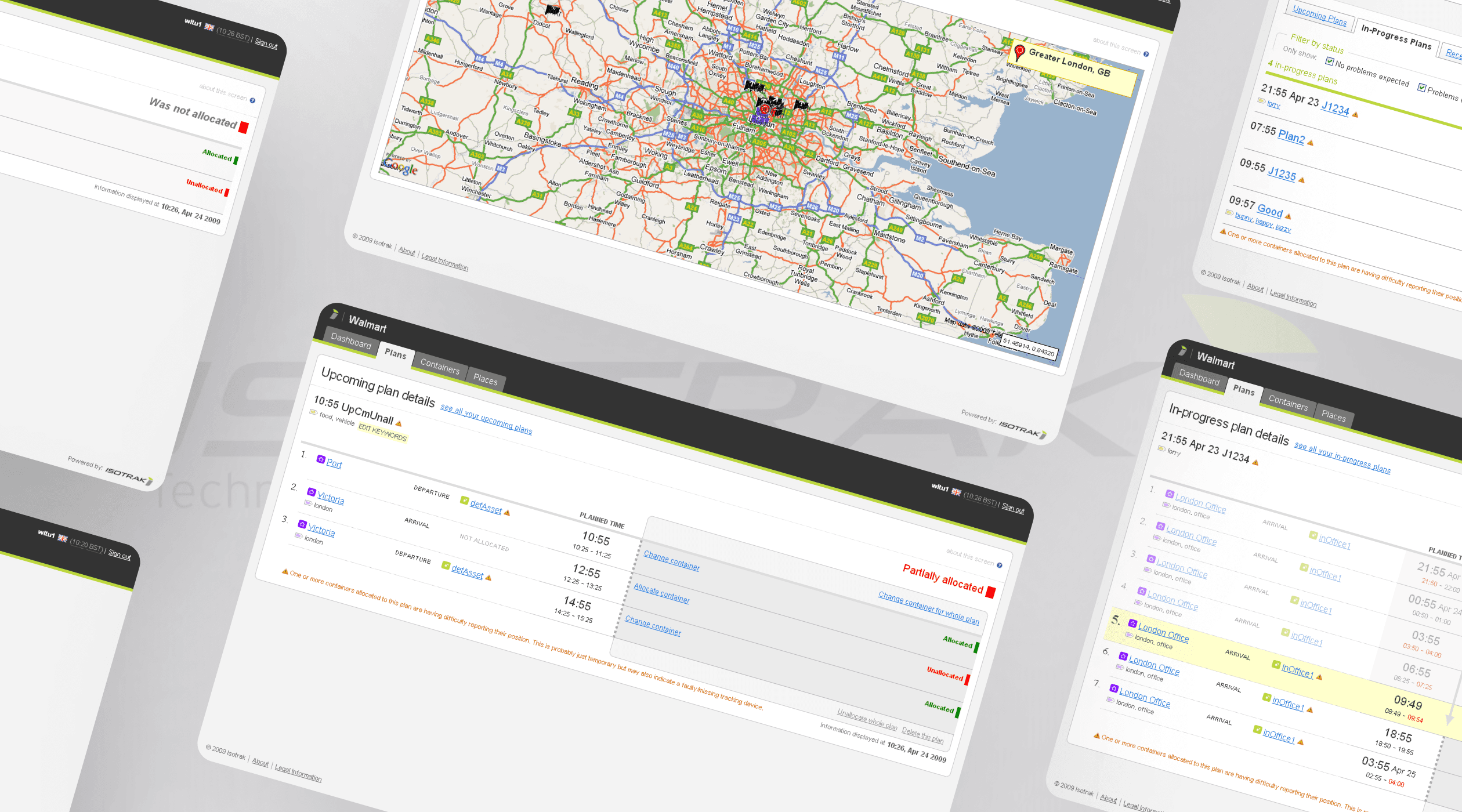
Users could move from high-level operational signals into the detail behind them. The product connected KPI dashboards, map-based views, asset history and workflow tools into a more coherent system.
The design also established reusable interaction patterns across the application: autosuggest, inline editing, contextual messaging, map/list relationships, filtered history views and validation states.
Impact
AiiM strengthened my approach to complex product design.
The value was not the dashboard, map or table in isolation. The value was the connection between them.
This project shaped how I think about operational platforms: the interface must help users move from signal to evidence to action.
It also reinforced the importance of story-led product development. Good user stories are not just tickets. They are a way of keeping the team focused on the work users are trying to complete.
That principle has carried through my later work on TV, OTT and enterprise platforms: complex products need clear journeys, well-modelled states, reusable patterns and a strong connection between product strategy and everyday user behaviour.